10 Tips for Buying a Small Laser Cutter?
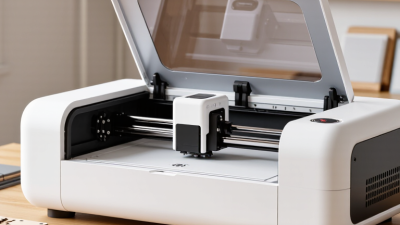
A small laser cutter can fit on a sturdy workbench, yet choosing one involves more than comparing wattage and price. The right machine depends on the materials you plan to process, the usable bed size, and the detail your projects require. Laser pioneer Theodore Maiman is often credited with the caution, “A laser is a solution looking for a problem.” It is a useful reminder: buy for real work, not impressive specifications alone.
This guide examines ten practical checks, including laser type, power claims, work area, focusing, software compatibility, ventilation, enclosure design, and ongoing costs. Look closely at sample cuts: clean edges on thin material do not guarantee good results on thicker stock. Ask what materials the manufacturer supports, how service is handled, and whether replacement parts are available. Small details matter. A cramped work area or awkward software can become a daily frustration.
Safety deserves equal attention. Check the manufacturer’s guidance for the machine, enclosure, ventilation, and required protective measures; never assume that a compact machine is automatically low-risk. Compare the complete setup cost, not just the advertised price. That means accessories, maintenance, and suitable workspace. The decision is rarely perfect. I would still test a machine with your intended materials before committing, when possible. These tips are meant to help you ask sharper questions, spot trade-offs, and choose a small laser cutter that suits your actual projects.
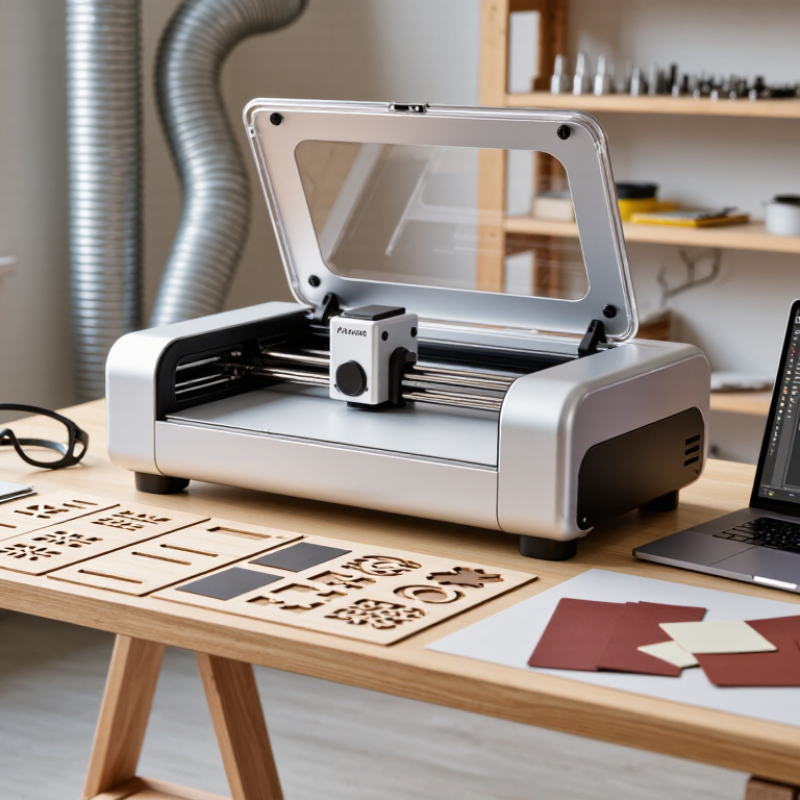
Choose Laser Type by Wavelength: 450 nm Diode or 10,600 nm CO₂
When comparing a 450 nm diode with a 10,600 nm CO₂ laser, focus on the materials you actually plan to cut. Wavelength affects how a material absorbs energy, so two machines with similar power ratings may behave very differently. A blue diode often marks or cuts wood, paper, and some dark, opaque materials. Clear acrylic is usually a poor match because much of the diode light passes through it. That matters.
A CO₂ laser is commonly better suited to cutting acrylic and many non-metal materials. Its longer wavelength is absorbed by clear acrylic and glass, though glass is typically engraved rather than cut on small machines. Neither option is a universal tool. Bare metals generally need a different process or suitable marking treatment, and results vary with material thickness, color, coatings, and focus. Check the material guide, then test a small offcut.
Look beyond the wavelength label. Ask for the machine’s optical output, usable work area, and recommended material thickness; advertised speed alone tells little. A tiny sample cut can reveal charring, rough edges, or weak contrast before you commit to a project. I would also check enclosure design, interlocks, and fume extraction, since cutting creates heat and airborne residue. One honest limitation: compact machines may struggle with thick stock, even when the wavelength suits the material. Don’t assume a neat product photo predicts your results.
Compare Optical Power, Work Area, and Manufacturer-Rated Cutting Thickness
When comparing small laser cutters, read optical output in watts, not electrical input. A machine drawing 100 watts from the wall may deliver much less to the workpiece. Ask for the rated optical power at the laser head and the lens used in testing. Fraunhofer ILT’s laser-processing guidance emphasizes that material, beam focus, and process settings all affect cutting performance; wattage alone cannot predict a clean edge.
Tip: Compare like with like. Check the manufacturer’s thickness rating for your exact material, not a headline maximum. A plywood rating may not transfer to acrylic or dense hardwood. Ask whether the test used one pass, what speed, and what assist air. If those details are missing, treat the rating cautiously. A little skepticism helps.
Match the work area to real projects. Measure your largest sheet, then allow room for clamps and positioning; a nominal 400-by-400-millimeter bed may leave little usable space. ISO 11553-1:2020 sets safety requirements for laser-processing machines, but it does not certify a machine’s cutting thickness. So request a sample cut, inspect the underside for scorching, and confirm the test material and settings in writing. Small details matter.
Check Enclosure and Interlocks Against IEC 60825-1 Laser Safety Classes
When comparing small laser cutters, check the stated laser safety class under IEC 60825-1. A fully enclosed machine may be Class 1 during normal use, even if its internal laser source belongs to a higher class. That distinction matters. The label describes accessible radiation when the machine is correctly assembled and operated; it is not a promise that every setup is safe.
Inspect the enclosure, not just the product photos. Look for gaps around the lid, viewing window, cable openings, and panels. Ask how the door interlock stops laser emission when the enclosure opens. If possible, request a demonstration using the maker’s documented procedure. Never bypass an interlock to test it. Small hinges can loosen, and a lid that closes unevenly deserves attention. A tidy exterior can be reassuring, perhaps too reassuring.
Ask for the IEC 60825-1 classification documentation and check that it matches the exact model and configuration. Confirm which panels or windows may be replaced, and whether service work requires a safety check afterward. Keep the manual and inspection records. A safety class does not remove every risk: damaged seals, incorrect repairs, or altered equipment can change the situation. It is easy to focus on cutting area and speed; I would give the enclosure the same careful look.
Small Laser Cutter Safety: IEC 60825-1 Class Overview
Bar height shows class order only—not measured output, an official risk score, or a substitute for product classification. Class 1 products limit accessible emissions under specified conditions; higher classes can present increasing hazards if the beam is accessible. For an enclosed cutter, verify that the enclosure and interlocks prevent hazardous access during operation and stop emission when access is opened. Check the product’s classification and documentation; never rely on the enclosure appearance alone.
Plan Fume Extraction Using the Maker’s Airflow and Filter Specifications
Check the cutter’s exhaust requirement before buying. A fan’s free-air rating can overstate airflow once ducts, bends, and filters add resistance. Ask for the airflow curve at the system’s expected static pressure, not just a maximum cubic-feet-per-minute figure. Match duct diameter and length to the maker’s instructions, then keep the run short and smooth. Tiny detail, big consequence. A cramped bend can reduce capture at the cutting bed, where smoke should enter the hood rather than drift into the room.
Read the filter data carefully. The U.S. Department of Energy’s HEPA standard specifies 99.97% particle removal at 0.3 micrometers; that rating does not mean the filter removes gases or vapors. For those, check whether the system includes a suitable gas-phase filter and whether its capacity and replacement schedule match your materials and use. The NIOSH Pocket Guide lists formaldehyde exposure limits of 0.016 ppm as an eight-hour recommended average and 0.1 ppm as a ceiling, where applicable. Those limits are not a substitute for checking emissions from each material. Verify airflow with the installed filter and ductwork, and replace filters when the maker’s pressure-drop or service guidance calls for it. I would not trust a “clean” smell as proof of safe capture.
Evaluate Motion Accuracy, Software, Warranty, and Total Ownership Cost
A compact laser cutter can look precise on a specification sheet, but motion quality shows up in real work. Check whether the head moves smoothly across the full bed, not just near the center. A small test grid can reveal doubled edges, uneven circles, or drift between repeated cuts. Keep the material and settings consistent during the test. Tiny details matter.
Software deserves a hands-on trial. Can you set power and speed by layer, preview the job, and recover a file after an interruption? Clear controls reduce mistakes, especially when a design contains several cut depths. Some interfaces feel simple until you need to adjust a path. I have underestimated that learning curve before. Ask whether updates and file formats are explained in plain language.
Read the warranty for coverage on motion parts, the laser source, and electronics, plus the process for getting service. A long warranty is less useful if shipping or diagnostics fall to you. Estimate total ownership cost: ventilation, replacement lenses, cleaning supplies, electricity, and likely downtime. Add those figures beside the purchase price. Leave room for surprises; maintenance costs are easy to miss when the machine is new.