How to Choose an Industrial Motherboard in 2026?

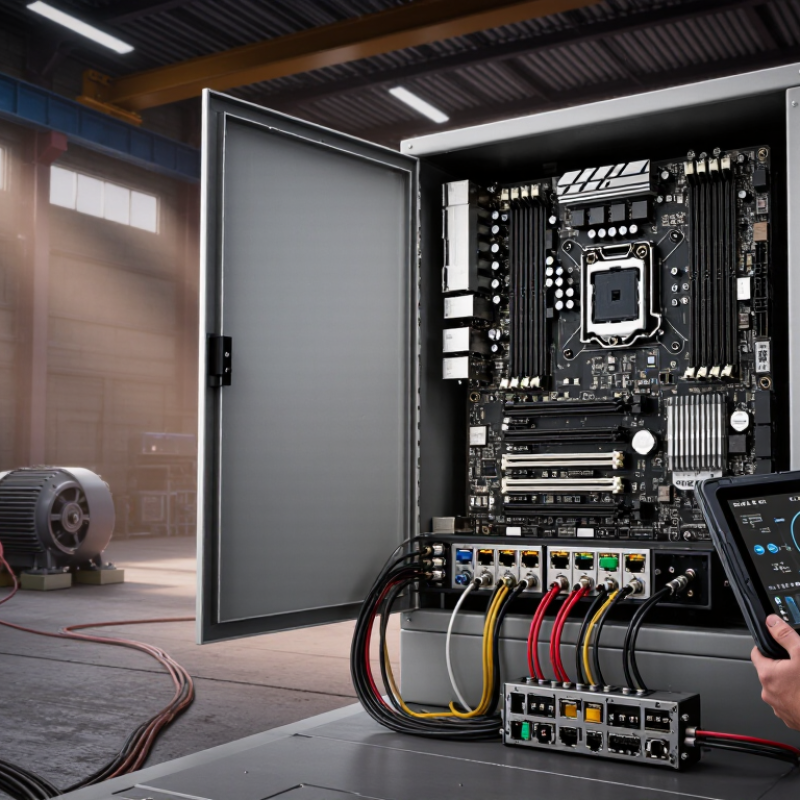
Choosing an Industrial Motherboard in 2026 is not a simple specification exercise. It is a reliability decision made under heat, dust, vibration, and limited maintenance access. A board may look powerful on a laboratory desk, yet fail inside a sealed control cabinet. That difference matters.

Intel co-founder Andy Grove once warned, “Only the paranoid survive.” Although he was discussing technology leadership, the principle fits industrial computing. Engineers should question every assumption, including expected temperature, processor lifespan, storage endurance, and supplier support. A flashy processor is not always the safest choice. Sometimes, a lower-power CPU with a longer availability plan serves the machine better.

This guide examines the practical details behind a dependable Industrial Motherboard. It considers fanless cooling, wide-voltage input, ECC memory, TPM security, remote management, and expansion options such as PCIe, M.2, and serial ports. It also compares operating temperatures, BIOS stability, watchdog timers, and enclosure dimensions. These details are easy to overlook.

They should not be.

Picture a factory gateway mounted beside a motor drive. It may experience constant vibration, electrical noise, and summer heat above 45°C. A board selected only for benchmark speed could become an expensive weakness. A board with fewer headline features may remain stable for years.

No checklist is perfect. I have seen projects overvalue initial price and underestimate replacement logistics. That mistake can delay production. Therefore, the right choice balances performance, compatibility, lifecycle support, serviceability, and tested reliability. The strongest decision is not always the most impressive one. It is the one that still works when conditions become inconvenient.

How to Choose an Industrial Motherboard in 2026?

Define Industrial Motherboard Requirements and Operating Conditions

Choosing an industrial motherboard in 2026 begins with defining the real operating environment.

A factory floor is not a clean laboratory. It may include dust, vibration, electrical noise, wide temperature changes, and unstable power. Record the installation temperature, humidity, shock exposure, available voltage, and enclosure airflow. IEC 60068 environmental testing provides useful methods for temperature, vibration, and shock evaluation.

Your computing requirements must be equally specific.

List processor performance, memory capacity, storage endurance, display outputs, network ports, expansion slots, and required protocols.

Include watchdog support, remote monitoring, secure boot, and long-term availability.

Gartner’s widely cited forecast estimated that 75% of enterprise-generated data would be created and processed outside traditional data centers by 2025.

That shift makes local processing, thermal control, and reliable connectivity more important. It also exposes a common mistake: selecting a powerful board without checking sustained heat output.

I once treated “industrial grade” as a complete specification. It was not.

A better approach is to convert every operating condition into a measurable requirement. For example, a sealed enclosure may need fanless cooling, while a dusty cabinet may require filtered airflow and protected connectors.

Uptime Institute’s 2024 Global Data Center Survey reported that 54% of respondents experienced a serious outage costing more than 100,000 dollars. Industrial downtime can be equally painful, even when the amount is smaller.

Test the complete system, not only the motherboard. Leave room for uncertainty. Real installations rarely behave perfectly.

Compare CPU Platforms, Chipsets, and Long-Term Processing Performance

Industrial Motherboards in 2026: Choosing CPU Platforms, Chipsets, and Long-Term Performance

Selecting an industrial motherboard in 2026 starts with the CPU platform, not the socket alone. A factory controller may run continuously beside motors, dust, and cabinet heat. I have seen a specification sheet look impressive while sustained workloads reduced performance after several hours. Measure performance at the temperature your enclosure actually reaches. Short benchmarks can mislead.

Compare processor cores, thread behavior, memory support, and power limits. High core counts help machine vision, analytics, and virtual machines. Efficient, lower-power processors may suit gateways that collect sensor data all day. Check whether the platform supports error-correcting memory, wide-temperature operation, and remote diagnostics. These features often matter more than peak benchmark scores. Leave thermal headroom.

The chipset determines practical expansion. Count native PCIe lanes, storage interfaces, serial ports, USB connections, and network paths. A platform with extra lanes can prevent bottlenecks when cameras, motion cards, and fast storage operate together. Verify lane sharing; two connectors may not work at full speed simultaneously. Examine firmware controls and operating-system support over the expected service life. A five-year deployment exposes weak decisions. I would document tested drivers, temperature logs, and replacement availability before approval. My own mistake was trusting “industrial” labeling without checking vibration testing and long-term processor throttling. Labels are not evidence.

Evaluate Expansion Slots, Interfaces, Storage, and I/O Compatibility

How to Choose an Industrial Motherboard in 2026?

Expansion slots should match the system’s future, not only today’s hardware. Check whether the board provides PCIe lanes for vision cards, motion controllers, or secure network adapters. A full-length slot may still be limited by lane sharing. Confirm this detail in the technical manual. Paper specifications can mislead.

Interfaces determine how reliably the computer communicates with machines. Count the required Ethernet, USB, serial, CAN, and digital I/O ports. A factory cabinet may need isolated serial ports for older equipment. Verify connector placement too; tightly packed cables can block airflow or strain plugs. I once underestimated this problem during a cabinet redesign. The board worked, but maintenance became awkward.

Storage compatibility deserves equal attention. Compare M.2 key types, SATA ports, supported drive lengths, and boot options. NVMe storage can improve data logging, but thermal throttling may appear inside a sealed enclosure. Use the manufacturer’s temperature ratings, then test with continuous writes. Also check power input, memory support, operating-system drivers, and watchdog functions. Measure twice. An interface that exists but lacks driver support is not truly compatible. Leave room for one unused port, because field requirements rarely remain unchanged.

Verify Reliability, Environmental Resistance, Security, and Lifecycle Support

Choosing an industrial motherboard in 2026 requires evidence beyond a high MTBF number. In field deployments, heat, vibration, dust, and unstable power usually expose weak designs first. Ask for test conditions, not only headline figures. IEC 60068 procedures can verify temperature cycling, humidity, shock, and vibration resistance. A board tested at 0–60°C may fail in a sealed cabinet near a furnace. That detail matters.

Security deserves equal attention. Select hardware with secure boot, signed firmware, protected update paths, and recovery controls aligned with NIST SP 800-193. The 2024 Cost of a Data Breach Report estimated the global average breach cost at 4.88 million dollars. That figure is not an industrial motherboard metric, but it shows why firmware deserves serious review. The World Economic Forum’s 2024 cybersecurity report found that 93% of cyber leaders expect geopolitical instability to increase cyber risks. Security cannot be an afterthought.

Lifecycle support is less visible, yet often more expensive. Request a documented seven-to-ten-year availability plan, BIOS maintenance terms, driver support, repair options, and advance change notifications. The 2024 Global Data Center Survey reported that 53% of respondents experienced an outage during the previous three years. Industrial downtime can be harsher, especially when replacement hardware needs new validation. A long warranty alone proves little. I would still challenge every lifecycle promise in writing.

How to Choose an Industrial Motherboard in 2026? - Verify Reliability, Environmental Resistance, Security, and Lifecycle Support

Industrial Motherboard Evaluation Matrix — Practical Verification Criteria for 2026 Projects
Evaluation Area Key Verification Metric Recommended Minimum Target Why It Matters in Industrial Applications Suggested Weight Verification Method Rating Guide
Reliability Operating temperature range At least -20°C to +70°C; select -40°C to +85°C for harsh locations A wider rated range helps maintain stable operation in outdoor enclosures, factory floors, transportation systems, and unconditioned control cabinets. 12% Review the manufacturer’s official specification and confirm whether the range applies to the complete system or only selected components. Excellent: -40°C to +85°C
Acceptable: -20°C to +70°C
Limited: below -20°C or above +70°C
Reliability Mean Time Between Failures (MTBF) A documented prediction of 100,000 hours or more under a stated temperature and workload MTBF is useful for comparing expected failure rates, but it is a statistical prediction rather than a guaranteed service life. 10% Check the calculation standard, ambient temperature, duty cycle, and whether the value covers the whole motherboard. Strong: ≥100,000 hours with conditions stated
Moderate: 50,000–99,999 hours
Weak: conditions not disclosed
Reliability Power input protection Reverse-polarity, over-voltage, over-current, and short-circuit protection; wide DC input where required Industrial power supplies can experience surges, wiring errors, brownouts, and electrical noise that may damage consumer-grade boards. 9% Request the protection circuit description and test limits, including surge duration and recovery behavior. Excellent: all four protections documented
Acceptable: basic over-voltage and over-current protection
Limited: protection not specified
Reliability Component quality and thermal design Solid-state capacitors, industrial-rated power components, heat spreaders, and validated thermal margins Durable components and effective heat dissipation reduce degradation caused by heat, vibration, and continuous operation. 9% Review the bill of materials policy, thermal test report, heatsink design, and fanless operating limits. Strong: fanless thermal design with documented margins
Moderate: mixed cooling approach
Weak: cooling requirements unclear
Environmental Resistance Humidity and condensation resistance 5%–95% relative humidity, non-condensing; conformal coating for high-risk environments Moisture can cause corrosion, leakage currents, and intermittent faults, especially during temperature changes. 8% Confirm humidity limits, condensation restrictions, coating coverage, and enclosure requirements. Excellent: coating and environmental limits documented
Acceptable: non-condensing humidity only
Limited: no humidity data
Environmental Resistance Vibration and shock tolerance Vibration and shock tests based on recognized industrial or transportation test methods Mechanical stress can loosen connectors, damage solder joints, and cause storage or expansion-card failures. 8% Request test levels, frequency ranges, pulse duration, mounting conditions, and pass/fail criteria. Strong: test method and levels published
Moderate: general compliance statement
Weak: no mechanical test evidence
Environmental Resistance EMI and EMC compliance Documented emissions and immunity testing for the intended market and installation environment Electromagnetic interference from motors, drives, relays, and radio equipment can disrupt communications and system control. 8% Verify declarations, test reports, cable conditions, grounding requirements, and any required external filtering. Strong: complete test documentation
Moderate: declaration available without detailed report
Weak: compliance status unclear
Security Trusted boot and firmware protection UEFI Secure Boot, hardware root of trust, signed firmware, and protected firmware update procedures These controls help prevent unauthorized boot code, firmware tampering, and persistent malware attacks. 10% Confirm supported security features, key-management process, recovery mode, and firmware-signing policy. Excellent: all controls supported and documented
Acceptable: Secure Boot supported
Limited: firmware security not specified
Security Hardware security capabilities TPM 2.0 or an equivalent hardware security module, with BIOS password and port-control options Hardware-backed key storage supports device identity, disk encryption, secure authentication, and measured boot. 8% Check module version, operating-system compatibility, disabled-port controls, and password recovery procedures. Strong: TPM 2.0 plus configurable port controls
Moderate: TPM 2.0 only
Weak: software-only security
Security Security update process Signed BIOS updates, vulnerability notifications, rollback or recovery options, and published security contacts A secure platform requires a practical way to remediate vulnerabilities throughout deployment and maintenance. 7% Review the security advisory process, update authenticity checks, release history, and offline update method. Excellent: documented advisory and update lifecycle
Acceptable: signed updates available
Limited: updates are manual or undocumented
Lifecycle Support Product availability commitment A written availability commitment of 5 years or more from project launch Long availability reduces redesign, recertification, inventory, and software revalidation costs in industrial deployments. 7% Obtain a written product lifecycle statement and clarify whether the period applies to new orders or technical support. Excellent: ≥10 years
Acceptable: 5–9 years
Limited: less than 5 years or not stated
Lifecycle Support Revision and change control PCN or EOL notification, revision traceability, and controlled component substitutions Unannounced hardware changes can affect drivers, thermal performance, certification, and application compatibility. 6% Ask for notification lead time, revision history, BIOS compatibility policy, and sample approval procedures. Strong: formal PCN and revision process
Moderate: notification available on request
Weak: no change-control policy
Lifecycle Support Technical support and repair capability Documented support response times, driver archive, repair or replacement process, and regional service coverage Fast diagnosis and access to validated drivers reduce production downtime and simplify field maintenance. 6% Evaluate support terms, driver retention period, RMA procedure, spare-parts policy, and escalation channels. Excellent: defined SLA and long-term driver archive
Acceptable: standard ticket support
Limited: support terms unclear

Assess Total Cost, Vendor Service, Certifications, and Future Scalability

Choosing an industrial motherboard in 2026 requires more than comparing purchase prices. Calculate the total cost across five years, including integration, thermal management, software changes, maintenance, and downtime. A low-cost board may become expensive after repeated field failures. Measure carefully.

Ask how quickly the supplier handles technical questions, replacement requests, and BIOS updates. Request written lifecycle information, including availability periods, change notifications, and end-of-life procedures. Service quality becomes visible when a production line stops at 2 a.m. Keep spare units available if repair times remain uncertain.

Certifications should match the installation environment and destination market. Check applicable safety, electromagnetic compatibility, environmental, and quality requirements. Do not accept a certificate copied from another model. Verify the exact board configuration and test scope. That detail matters.

Future scalability deserves equal attention. Review processor support, memory capacity, PCIe expansion, storage interfaces, display outputs, and remote management features. Leave unused expansion space for sensors, cameras, or communication modules. A board that fits today may block tomorrow’s upgrade. Select suppliers with documented validation methods and controlled manufacturing processes. Factory audits can reveal more than attractive specifications. Still, no checklist is perfect. A spreadsheet can hide practical risks, especially when operating temperatures and vibration differ from laboratory conditions. Test a sample in the real enclosure before approving volume deployment.

How to Choose an Industrial Motherboard in 2026?

Recommended procurement weighting for comparing industrial motherboards: evaluate five-year total cost of ownership, vendor service, required certifications, and future scalability before making a purchase.

Total cost should include hardware, integration, maintenance, downtime, and replacement expenses. Vendor service covers response time, repair capability, documentation, and long-term product availability. Certifications should match the deployment environment, while scalability includes expansion interfaces, processor support, memory capacity, operating-system compatibility, and lifecycle availability.